

Incomplete equipment data, missing replacement parts, or unclear responsibilities regularly slow down day-to-day service operations in the machinery and plant engineering industry. If you want to optimize your field service, simply planning routes is usually not enough. In this article, we’ll show you how to digitally structure the workflows between dispatch and service personnel, reduce time spent at customer sites, and sustainably increase your first-visit resolution rate.
What does field service optimization mean?
In technical service, route planning alone isn’t enough. While the sales field force focuses on visit frequency, Field Service Management (FSM) in the machinery and plant engineering sector is all about reliably handling complex service calls.
Optimizing field service means digitizing the interface between dispatch and service personnel. Instead of delayed feedback and manual lists, what matters is comprehensive system data, the appropriate technician skills, and the right material availability at the job site.
Why is an optimized field service team so important for service companies?
Quick response times to malfunctions ensure the availability of machinery and equipment. How efficiently the service team operates depends on coordination between the back office and the job site. By optimizing your field service team, you can reduce organizational hurdles in day-to-day operations. These four approaches address typical weaknesses in operational workflows:
As soon as dispatchers and technicians work from the same database, travel times decrease while the utilization of the service teams increases.
Service Challenges: These Bottlenecks Slow Down the Field Service Team
Sudden equipment failures, missing documents, or hours-long coordination over the phone put a strain on day-to-day service operations. In most cases, the inability to run operations smoothly stems from outdated tools and a lack of interfaces.
If you want to optimize your field service operations, we recommend closing these information gaps between dispatch and the job site.
Optimizing Field Service: Four Steps to Efficient Service Processes
Digitizing field service is most successful when done in stages. Instead of introducing isolated, siloed solutions, the following steps integrate the core areas of your service organization to create noticeably leaner processes.
Tip 1: Digitize Your Dispatch Planning with Automatic Qualification Checks
Consolidate appointments, customer histories, and spare parts inventory into a single central software platform. An automated skill and certification check verifies qualifications, authorizations, and special tools directly when an order is assigned. This ensures that service technicians only travel to the customer’s location when all prerequisites for a successful repair are met. This prevents wasted trips and increases the first-visit resolution rate.
Tip 2: Use automated route planning
An integrated route optimization feature calculates travel routes while taking into account real-time traffic data, service priorities, and fixed customer time windows. The software geographically coordinates technicians’ appointments and prevents unproductive zigzag routes. This reduces travel time, lowers fuel consumption, and ensures reliable arrival times for plant operators.
Tip 3: Ensure mobile offline access on-site
Many industrial facilities, basements, or rural areas lack a stable cellular connection. Technicians still need unrestricted access to plant data, schematics, and historical service reports in these locations. Mobile FSM apps store the relevant documents locally on the device in advance. All data entry remains possible even without network reception and syncs automatically as soon as a connection is reestablished.
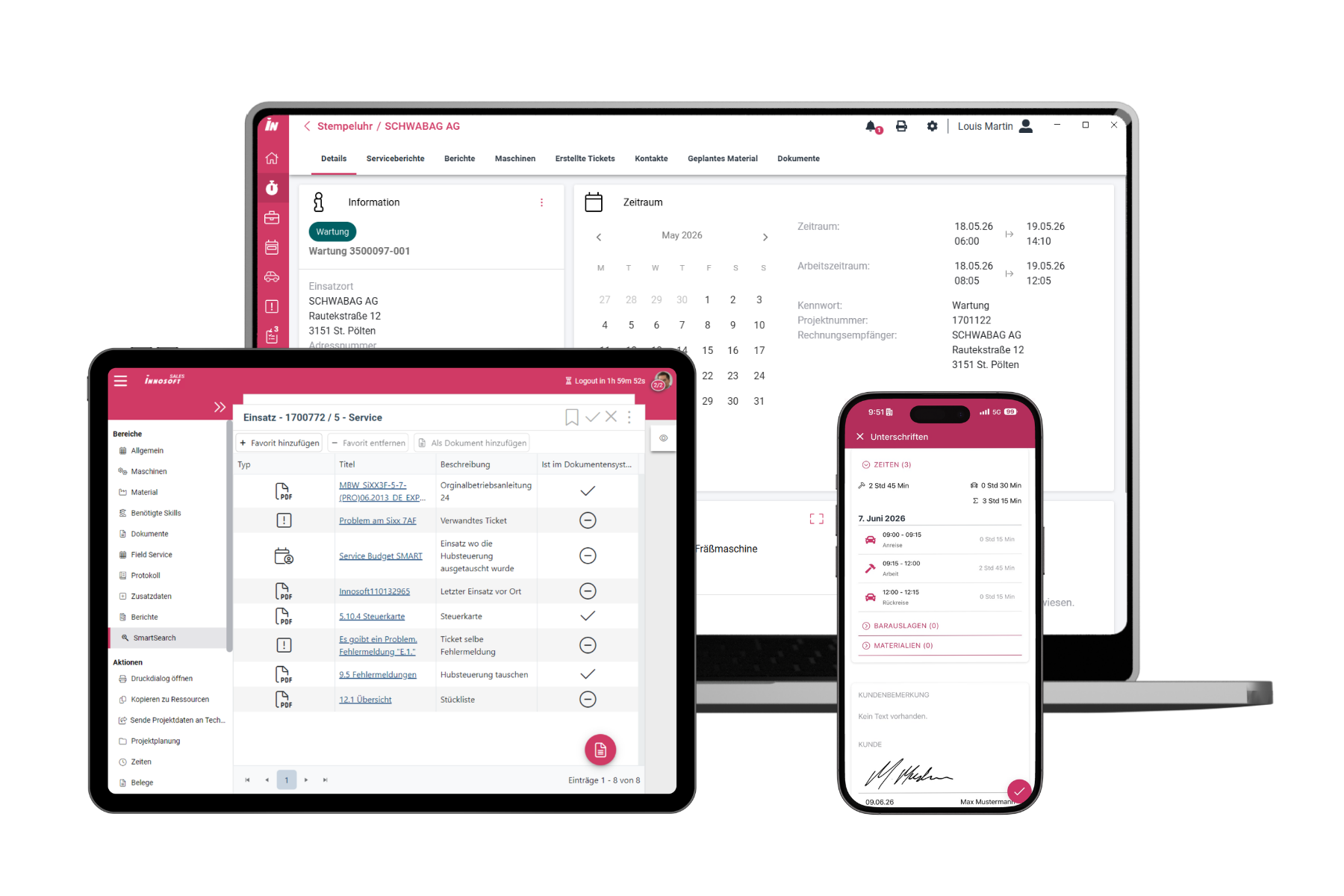
Tip 4: Enter service reports directly at the customer’s location
Documenting reports after the fact at the end of the workday often leads to transcription errors and incomplete information. Digital data entry directly at the job site streamlines the process and completely replaces paper-based forms.
With Innosoft’s FSM solution, you can integrate scheduling, mobile field documentation, and invoicing into a single system. Schedule a free consultation today.
Tip 5: Centralize Service Order Data and Billing
Information scattered across emails, notes, or messaging services delays follow-up and leads to time-consuming back-and-forth between office staff and technicians. When photos, measurement data, and customer approvals are stored directly in the respective service order, the data is immediately available to all departments involved. This transmits verified service data without delay to the accounting department and shortens the billing cycle.
Tip 6: Manage Your Service Processes Using Real-Time Metrics and Dashboards
Use well-founded operational data for continuous process improvement. Clear service dashboards consolidate key metrics such as response times, capacity utilization, and first-time fix rates at a glance. This allows you to identify material or skill shortages early on and make targeted adjustments to sustainably optimize your field service operations.

Tip 7: Switch from reactive repairs to predictive maintenance
Use fixed maintenance intervals and historical equipment data to make service calls more predictable. Instead of merely reacting to breakdowns, schedule recurring inspections well in advance. This smooths out peaks in scheduling, increases machine availability at the customer’s site, and ensures an even workload for the field service team.
Optimizing Field Service with FSM: The Technical Key to Lean Service Processes
Even the best process ideas fail if the technical foundation is lacking. Specialized FSM software integrates dispatch, route planning, and service documentation into a single central platform. It consolidates scattered data streams and structures workflows. Innosoft’s FSM browser solution supports dispatchers and technicians with the following features:
If you want to optimize your field service operations in a sustainable way, specialized FSM software provides the necessary transparency between office and field staff. It transforms time-consuming manual processes into a transparent, fully controllable service workflow.
Conclusion – How to Successfully Optimize Field Service Operations Step by Step
Service processes can be modernized step by step. Often, targeted changes to workflows are sufficient. Sustainable field service optimization integrates digital planning tools, transparent communication channels, and mobile data access in the field into a cohesive system.
Specialized FSM solutions help reduce the workload for both dispatchers and service personnel in the field. For deeper insights into the individual areas, our guide to route planning for field service and the guide to proactive resource planning offer further practical tips and detailed methods.
Frequently Asked Questions About Optimizing the Field Service
Field service optimization is beneficial for companies of all sizes. As soon as multiple technicians are on the job, manual planning leads to inefficiencies caused by coordination issues. Structuring these processes therefore pays off even for small teams.
Smooth operations depend above all on transparency, a high first-time resolution rate, and short travel times. Direct access to on-site equipment data, a timely supply of replacement parts, and clear coordination between scheduling and service personnel are crucial.
The best way to calculate optimal travel routes is through automated route planning. This takes into account real-time traffic data, customer time windows, urgency levels, and the locations of technicians. As a result, unproductive travel time and fuel costs are significantly reduced.
A mobile FSM app provides all order details, schematics, and system histories directly on a smartphone or tablet, even offline. Technicians digitally record work hours, materials used, and reports on-site. This eliminates paperwork and speeds up the subsequent billing process.
Collaboration between Service and Sales unlocks new opportunities. Technicians identify maintenance needs or outdated components on-site. When this information is entered directly into the system, the sales team receives valuable insights for targeted upselling and repair proposals.
The time required for an FSM implementation depends heavily on the scope of functionality and the limitations of the existing system. Standardized solutions can often be put into operation within a few weeks. In the case of complex integrations with existing ERP systems, the process typically takes several months.